Best TRON Wallets for Holding and Exchanging TRX

The best TRON wallet depends on what you need to do: make payments from a phone, interact with TRON applications, or keep signing keys on a hardware device. For a useful shortlist, compare TronLink for TRON-focused controls, Trust Wallet for multichain everyday use, MetaMask for users already managing several networks there, and Ledger for hardware-backed signing.

This is a comparison of supported features and practical trade-offs, not a claim that every device or application version has been tested. Feature availability was checked on 15 October 2026; verify the exact device and app version before moving funds.

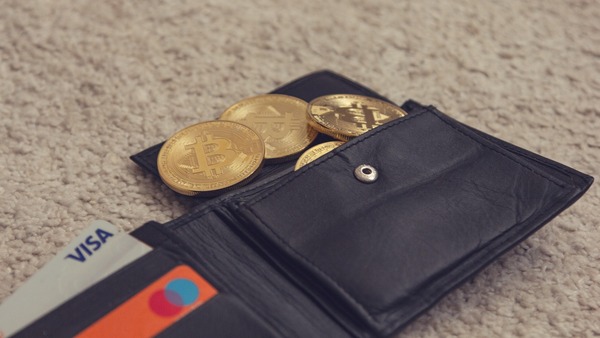
Leather wallet with gold coins and bank cards

Decide Who Will Control the Keys

Self-custody gives you control of signing and responsibility for recovery. A custodial exchange instead manages the keys and may impose withdrawal checks, limits or maintenance pauses.

An exchange balance can be convenient while you are trading, but check the actual TRON withdrawal network and total withdrawal cost before relying on it for a payment. A self-custody wallet gives you an on-chain receiving address; it does not guarantee that a third-party deposit accepts every token that address can technically hold.

Shortlist Wallets by the Feature You Need

A wallet's ability to display TRX does not prove it can perform every staking or application action. Separate basic receiving and sending from resource management, contract connectivity and hardware integration.

OptionSuitable starting pointLimitation to check
TronLinkTRON applications, staking and resource controlsDevice support and the exact permissions a dapp requests
Trust WalletA mobile wallet alongside assets on other chainsTRON-specific controls in your chosen app version
MetaMaskManaging TRX and TRC-20 assets with a familiar multichain walletStaking is Mobile-only; native TRON dapp connectivity is not currently supported
LedgerKeeping signing keys on a hardware deviceCompatible software and device model; direct staking in the TRON account is not supported in Ledger Wallet

Ledger's staking alternatives involve additional integrations rather than a native staking button in its TRON account. Confirm that an integration supports your device and the action you need, instead of treating hardware support as a blanket feature guarantee.

Choose How You Will Approve Transactions

Choose the signing arrangement before comparing secondary features. It determines what you must protect and how you approve a transfer.

Mobile Wallet for Regular Payments

A phone wallet can suit someone who needs to scan receiving addresses and send while away from a computer. Protect the device with a strong unlock method and inspect the destination and fee on the confirmation screen, even when you scanned a QR code.

For a TRON mobile wallet used mainly for USDT, check both token support and how it funds outgoing fees. Receiving tokens does not mean the wallet can send them later without resources or a suitable fee balance.

Browser Wallet for Application Access

Browser extensions can make application signing more convenient, but compatibility is specific to the network and application. TronLink advertises TRON dapp access; do not assume every multichain extension offers the same connections. Keep a smaller application balance separate from long-term holdings where practical.

If MetaMask is your preferred extension, review the current TRON support and Mobile differences in MetaMask before choosing it for staking or dapps.

Hardware Wallet for Signing Isolation

A hardware wallet keeps signing keys on a dedicated device. It does not make an incorrect recipient safe, and it cannot protect funds if you approve a harmful action or expose the recovery backup.

Verify receiving addresses on the device where supported, and read the transaction information it displays. If the software cannot present an action clearly enough for you to assess it, postpone signing rather than approving a request you do not understand.

Test Recovery and Receiving Before Increasing the Balance

Before funding a new wallet, make sure you can recover access if the device is lost. Install through the developer's official distribution links and complete its backup process privately; an app name or sponsored search result is not proof of authenticity.

Keep the recovery backup away from chat messages and public cloud documents. Follow the wallet's own backup-check procedure, without entering the phrase into a website offering to validate it. A password that unlocks an app and a recovery backup do different jobs.

For the first receipt, select TRX on TRON and copy the account's receiving address. Use the TRON receiving-address checks to distinguish that destination from a token contract. Send a test amount that respects the sender's minimum, then inspect a send preview to understand what remains spendable after costs.

If you are funding from ether, an ETH to TRX exchange can deliver native coins to that address. The crypto-funded purchase steps explain how to compare the route and track its payout. Neither operation requires disclosing your recovery phrase to the provider.
FAQ

Is There a Separate Best Wallet for USDT on TRON?

Start with genuine TRC-20 support, recovery arrangements and outgoing-fee handling. A wallet displaying an unrelated token named USDT is insufficient; verify the issuer's contract.

Can I Restore a Wallet in Any Other App?

Not necessarily. Backup formats, account derivation and supported networks can differ. Check the receiving app's official recovery guidance before relying on interoperability, and never enter a phrase into a website claiming to check compatibility.

Can a Wallet Provider Reset My Recovery Phrase?

For a self-custody account, support cannot replace lost signing keys with a password reset. If you lose all valid access and backups, the provider cannot simply recreate your control of the funds.