TRON Wallet Address: How to Find and Check It

A normal TRON receiving address is a 34-character Base58Check string beginning with T. Find it in the receiving wallet by selecting TRX on TRON and opening Receive. Copy the destination from that account, then check which asset the recipient actually accepts.

Three questions matter: is the string a valid address, is it the intended account, and will that account or platform accept this deposit? A checksum can help with the first question; it cannot answer the other two.

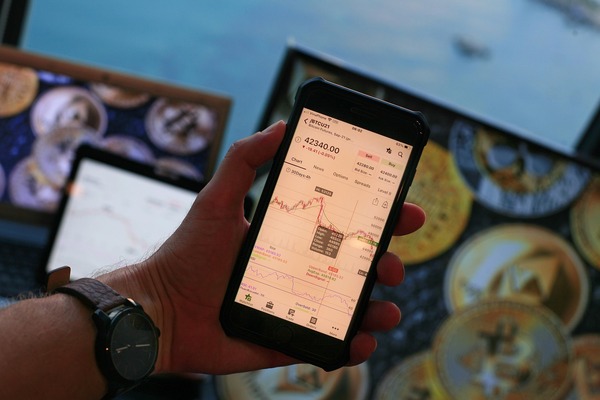
Hand holding a smartphone with a crypto wallet app open

Copy the Address from the Receiving Account

Open the account you want to fund rather than choosing an address from a recent transaction. In a multichain app, selecting an Ethereum asset can reveal a different receiving destination from the one required for native TRX.

  1. 1
    Select the intended wallet account and choose TRX.
  2. 2
    Confirm that the receiving network is TRON.
  3. 3
    Open Receive and copy the complete address or its QR code.
  4. 4
    Compare the pasted destination with the original receiving screen, not only a few characters at either end.
  5. 5
    On the sender, match both the asset and network before approving payment.

For a wallet you have not yet set up, compare TRON wallets and their custody arrangements first. A provider delivering an exchange payout needs the receiving address, not your private key or recovery phrase.

Decide What Kind of Identifier You Are Looking At

Several identifiers can appear in a token search or transaction record. Identify their role before using one as a destination; similar-looking strings can point to different things.

Your Account Address and Its Hexadecimal Form

The usual T-prefixed display is the wallet-friendly Base58Check representation. Developer tools can instead use a hexadecimal TRON address beginning with 41. These are representations of an address, not instructions to move between networks.

Use the format explicitly requested by the receiving system. Do not remove or replace a prefix to make the destination fit another chain, and do not use a shortened example from an article as a payment address.

A Token Contract or Transaction ID

A contract identifies a particular issued token; it does not identify your personal wallet. Native TRX does not need a TRC-20 contract imported to receive it. A search result for a TRX token contract may instead describe a wrapped asset on another chain.

A transaction ID identifies an operation already created or submitted. Use it to check a TRON transfer, not as a receiving destination. If you are unsure which identifier you copied, return to the recipient's current Receive or Deposit screen.

A Valid Address Still Needs the Right Recipient and Asset

A valid checksum does not establish ownership. Obtain a business destination from its authenticated deposit screen, and verify a personal recipient through a communication channel you already trust. On a compatible hardware wallet, compare the receiving address displayed by the device.

Do not copy an address merely because it appears beside a familiar transfer in your history. Lookalike addresses can be placed there through tiny unsolicited payments. A small test can limit the amount exposed, but it must still meet any minimum deposit and use the accepted asset and network.

A self-custody TRON account can hold native coins and multiple tokens at the same address. A custodial platform may credit only the asset selected in its deposit instructions. Sending TRX to a USDT deposit therefore does not automatically fund a USDT balance or perform a conversion.

If a New Address Does Not Appear in an Explorer

Generating keys creates the address locally; activation makes the account exist on the network. An unused address can therefore be absent from an explorer without being malformed.

An ordinary incoming TRX transfer from an existing account can activate the new account, with the sending transaction subject to current creation and resource charges. Read the sender's estimate rather than assuming its total deduction will equal the amount delivered. A TRC-20 receipt alone is not the same activation route.

If you are funding from bitcoin, a BTC to TRX conversion should use the native TRON receiving address from your wallet. Check the payout record and the account's resulting state before attempting a token send. An explorer showing a valid account still does not prove a third-party platform will credit an unsupported deposit.

FAQ

Do I Need a Destination Tag for a Normal TRON Address?

An ordinary TRON account transfer does not use XRP-style destination tags. Follow the receiving platform's complete instructions if it requests additional information; ask it to explain any unfamiliar requirement before sending.

Can I Share My Address Publicly?

You can share an address to receive funds, but its on-chain activity is public. Sharing it may connect your identity with past and future transactions. Keep the recovery phrase and private key secret.

Can Support Recover Funds Sent to the Wrong Address?

Only someone with the necessary control over the destination may be able to return them. A valid transfer cannot be redirected by replacing the address in your wallet after it has completed.