How to Buy TRX with Cryptocurrency

To buy native TRX with cryptocurrency, choose a route accepting the balance and network you already hold, obtain a TRON receiving address, and follow the current order's quote and deposit instructions. Compare what reaches your wallet after costs, not only the displayed trading rate.

The key distinction is between acquiring native coins on TRON and a wrapped asset on another chain. Only the correct receiving asset will fund the TRON payments or staking actions you intend to make.

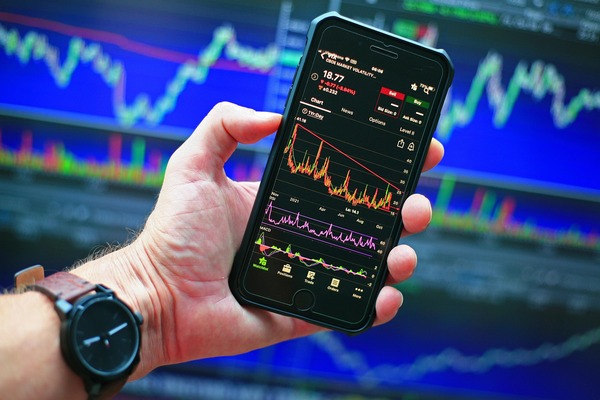
Hand holding a smartphone with a crypto price chart

Start Where Your Payment Funds Are Held

Your source account determines which routes are practical. Check its withdrawal network and fee-funding requirements before selecting a provider or creating a deposit order.

Your Balance Is Already on a Custodial Exchange

Check whether that exchange can trade the balance into TRX and currently withdraw native coins over TRON. Include the trade's cost and the subsequent withdrawal charge. If withdrawals are paused or account conditions prevent access, a low trading rate does not make the route usable.

You can also compare sending the existing asset to a crypto-to-crypto provider. Use the net amount that provider will actually receive after any source withdrawal deduction, and confirm that the deposit meets its instructions.

Your Balance Is in a Self-Custody Wallet

Identify the exact source network. USDT on Ethereum, TRON and Solana are separate balances, so selecting a cheaper network in an order cannot spend tokens located elsewhere.

The wallet also needs to fund the source transaction. If your only funds are USDT on TRON and the app cannot cover its outgoing cost, creating a conversion order does not remove that shortfall. Arrange a supported fee-funding method before attempting the deposit.

TronLink or Trust Wallet can be the receiving wallet even when the exchange takes place outside it. For a purchase or swap opened inside the wallet, inspect the actual third-party provider, regional availability and network choices. A Buy button does not establish that tronexchange.io accepts bank cards or other fiat payments.

Compare the Quote Before You Make a Deposit

Use the same source amount and network when comparing routes. A price converter gives a reference value; an executable order defines the payout and conditions for the transaction you can actually make.

Separate the quoted net receiving amount from a source fee charged by your wallet or sending platform. Avoid adding an exchange cost twice if it is already included in the payout. If a route ends in a custodial balance, include the cost of withdrawing to your own wallet as well.

Read floating and fixed conditions differently. A floating result can change with execution; a fixed quote depends on its payment window and other stated conditions. For a Tether-funded route, compare the current USDT to TRX exchange instructions before committing funds.

Complete the Purchase from Receiving Address to Payout

Use one fresh set of order instructions for the intended payment. Save the order reference before leaving the page so that you can match the source deposit to the later payout.

  1. 1
    Prepare the TRON receiving account. Choose a compatible wallet, select native TRX and open Receive. The wallet comparison helps if you have not selected an app.
  2. 2
    Verify the destination. Copy the account address, not a token contract, and check any custodial deposit minimum. Use the TRON address guide if format or activation is unclear.
  3. 3
    Select the real source balance. Match the asset and network you can send, then enter the amount and review the net payout.
  4. 4
    Create the order. Inspect the payout destination, required deposit amount, deposit address and applicable time conditions.
  5. 5
    Submit the deposit once. Account for the sending platform's deductions and use the exact accepted network. Do not split the amount unless the order permits it.
  6. 6
    Keep the deposit hash. Wait for the source transfer and order processing, then save the separate payout hash when available.
  7. 7
    Verify the received asset. Check that native TRX arrived in the intended TRON account and inspect its spendable balance before using it.

A test purchase still needs to meet the order's minimum and other conditions. Sending a tiny fraction of an existing order can create an underpayment rather than a useful test.

If the Purchase Does Not Reach the Wallet

Find the last completed stage before placing another order. No deposit hash points you back to the sending wallet or withdrawal platform; a successful deposit with no order update requires comparison with the order's asset, network and amount.

When a payout hash exists, inspect the native transfer, recipient and selected wallet account. The TRON transaction diagnostics distinguish a missing display from failed execution or a wrong destination. Send the provider the order reference and relevant hash rather than a second payment.

FAQ

Can I Buy Only Enough TRX for a Token Transfer?

Compare the current fee estimate with order minimums and withdrawal costs. A small required fee does not imply that every purchase provider accepts an equally small order.

Does Buying TRX Automatically Stake It?

No. A normal payout creates a liquid balance. Staking is a later action with its own resource selection, voting settings and withdrawal timing.

Can I Send the Payout to an Exchange Deposit?

Only if that platform currently accepts native TRX on TRON and the amount meets its credit requirements. Recheck its current deposit instructions before creating the conversion.